Everything you need to read smarter
Nine powerful features, one beautifully simple app.

Swipe to Curate
Swipe right to save, left to skip. Reading your feeds has never been this fun.

Nibbl Inbox
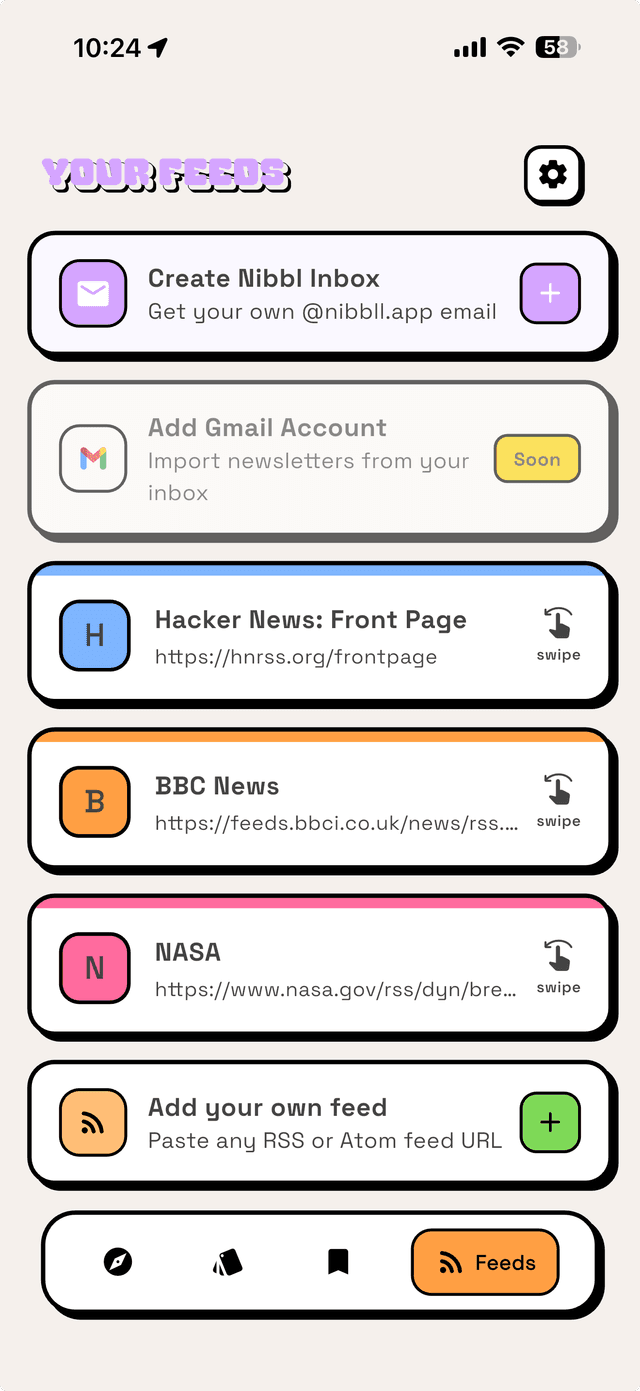
Get your own @nibbll.app email address. Subscribe to any newsletter and it lands right in your feed.

AI Summaries
Get instant AI-powered summaries of any article — in your language of choice. Bite-sized knowledge in seconds.

RSS Feeds
Add any RSS or Atom feed, or discover starter packs and personalized recommendations across tech, business, science, and more.

Save & Highlight
Bookmark articles, highlight passages, and build your personal reading library.

Cloud Sync
Sign in with Google or Apple. Your feeds and saves sync across devices.
Import via OPML
Switching readers? Bring all your feeds with you. Import your subscriptions from any RSS reader with a single OPML file.
Read in 7 Languages
Nibbl speaks your language — fully translated into English, French, German, Spanish, Italian, Japanese, and Portuguese.
Today's Headlines
See the biggest stories across all your feeds in one place — top stories and the latest headlines, refreshed every day.
How it works
From discovery to done — your reading flow in six simple steps.
Create your Nibbl Inbox
Get a free @nibbll.app email and subscribe to newsletters. Add RSS or Atom feeds, import an OPML file from another reader, or browse curated categories — all in one place.
Swipe through articles
Your articles appear as beautiful cards. See the title, source, read time, and a preview — then decide in a swipe.

Skip what you don't need
Swipe left to skip. No guilt, no clutter — just a clean way to move past articles that don't spark your interest.

Save what matters
Swipe right to save. Build your personal reading list with the articles you actually want to come back to.

Read with AI superpowers
Dive into the full article with a clean reader view. Tap AI Summary to get the key points instantly — perfect for long reads.

All caught up!
When you've nibbled through everything, celebrate with confetti! Then fetch fresh nibbles whenever you're ready for more.

Made for comfortable reading
Tune the reader to your eyes. Adjust the text size and line spacing, and pick the theme that's easiest to read.
Big screen, bigger experience
Nibbl is fully optimized for iPad and tablets. Enjoy the same swipe-to-curate experience on a larger canvas.
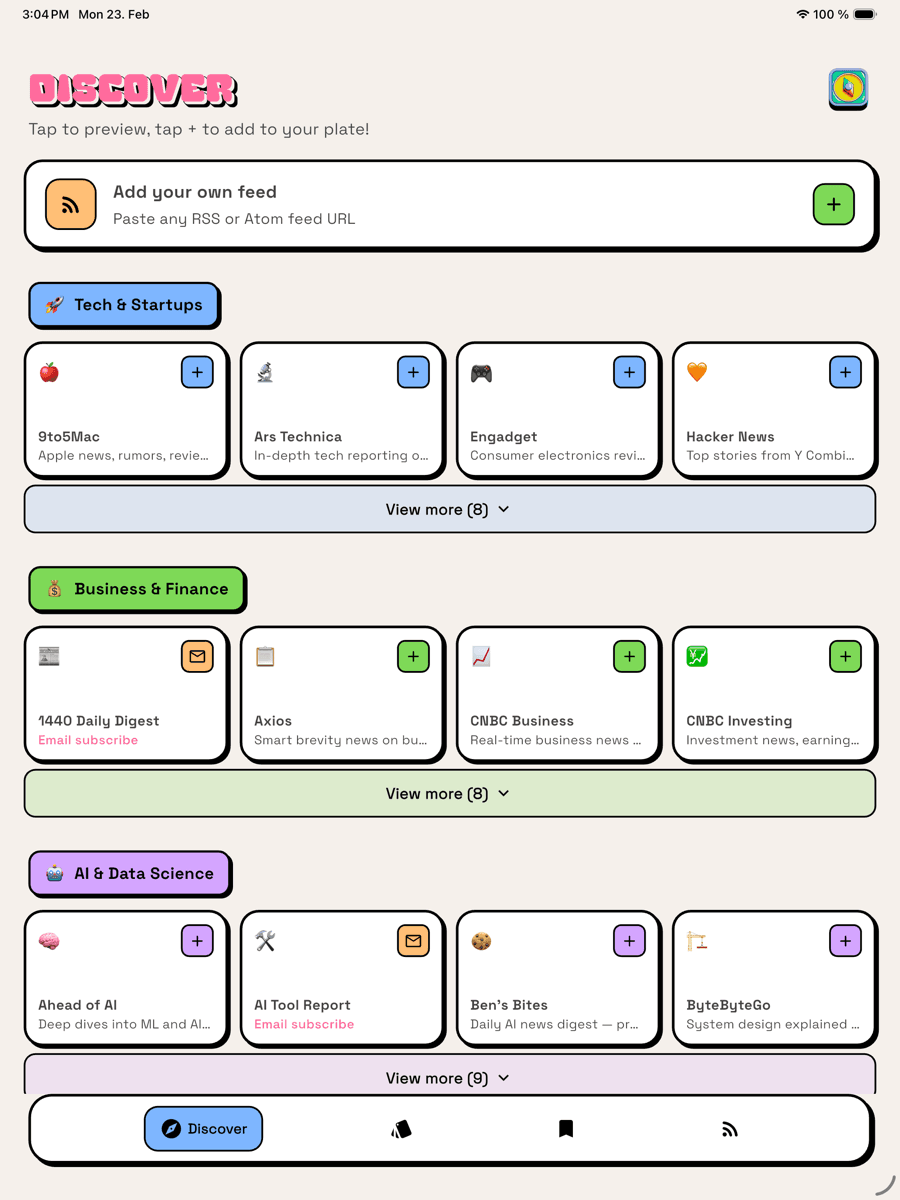
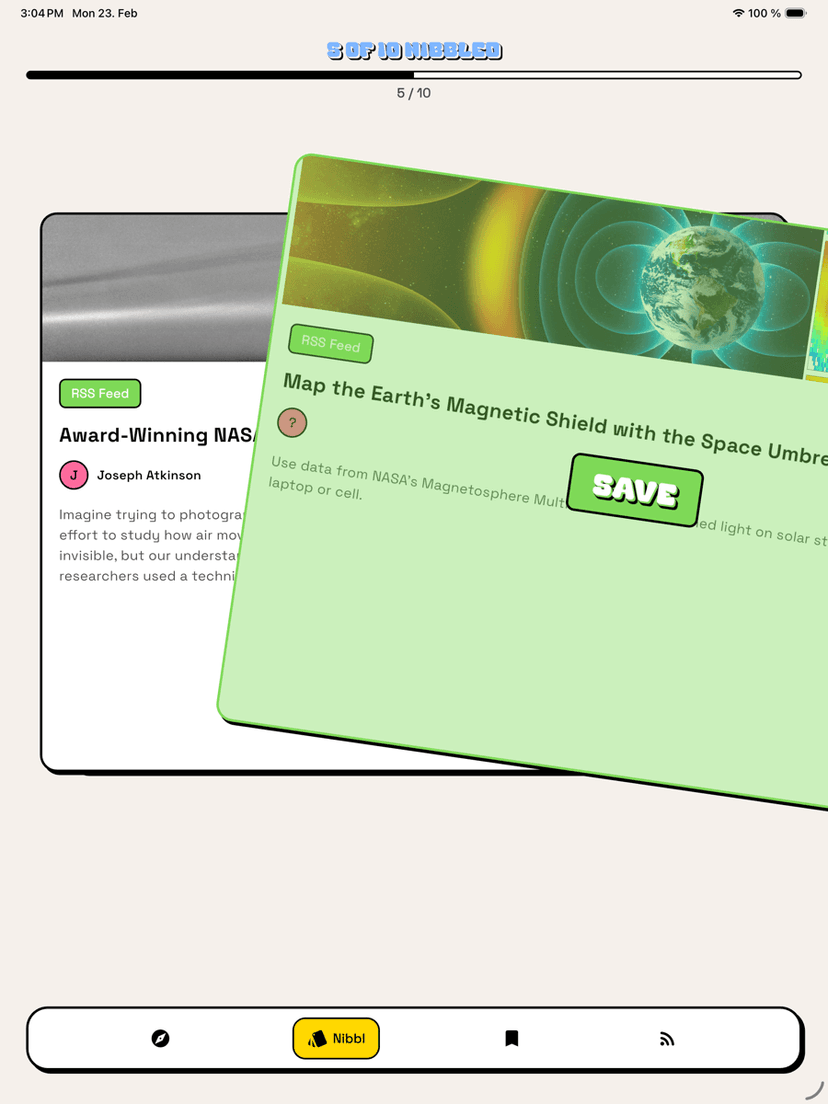
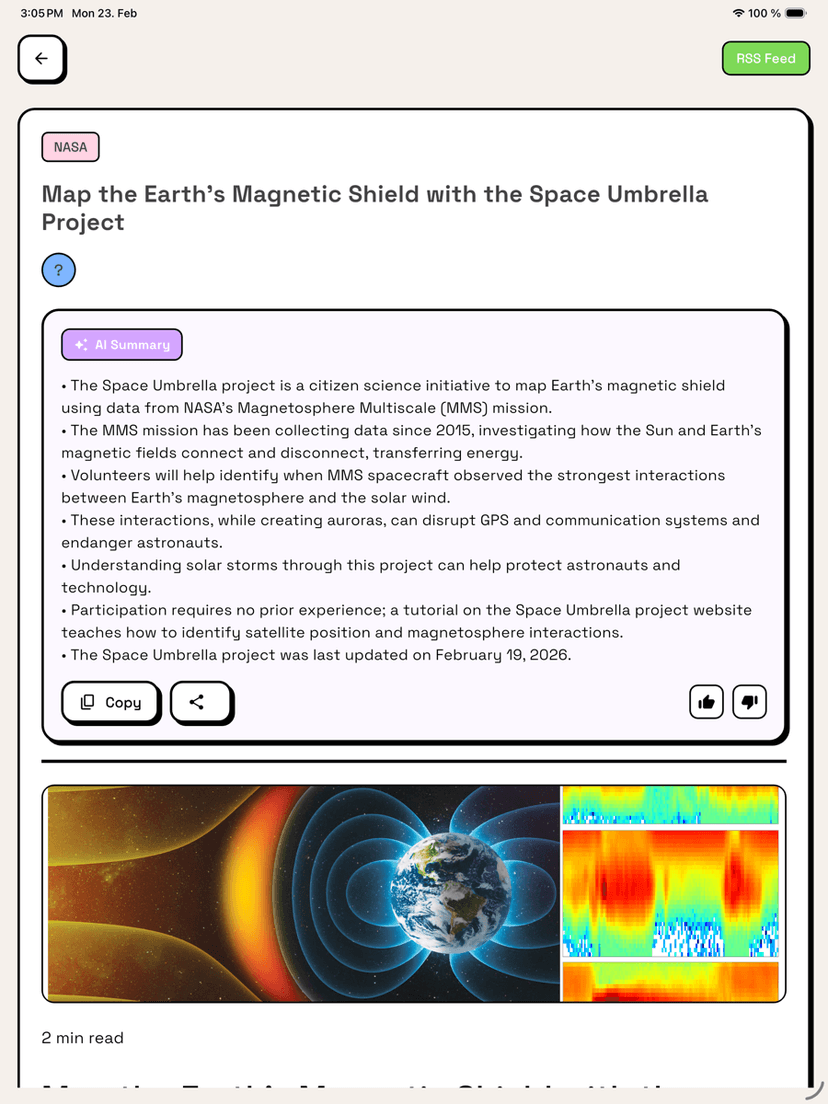
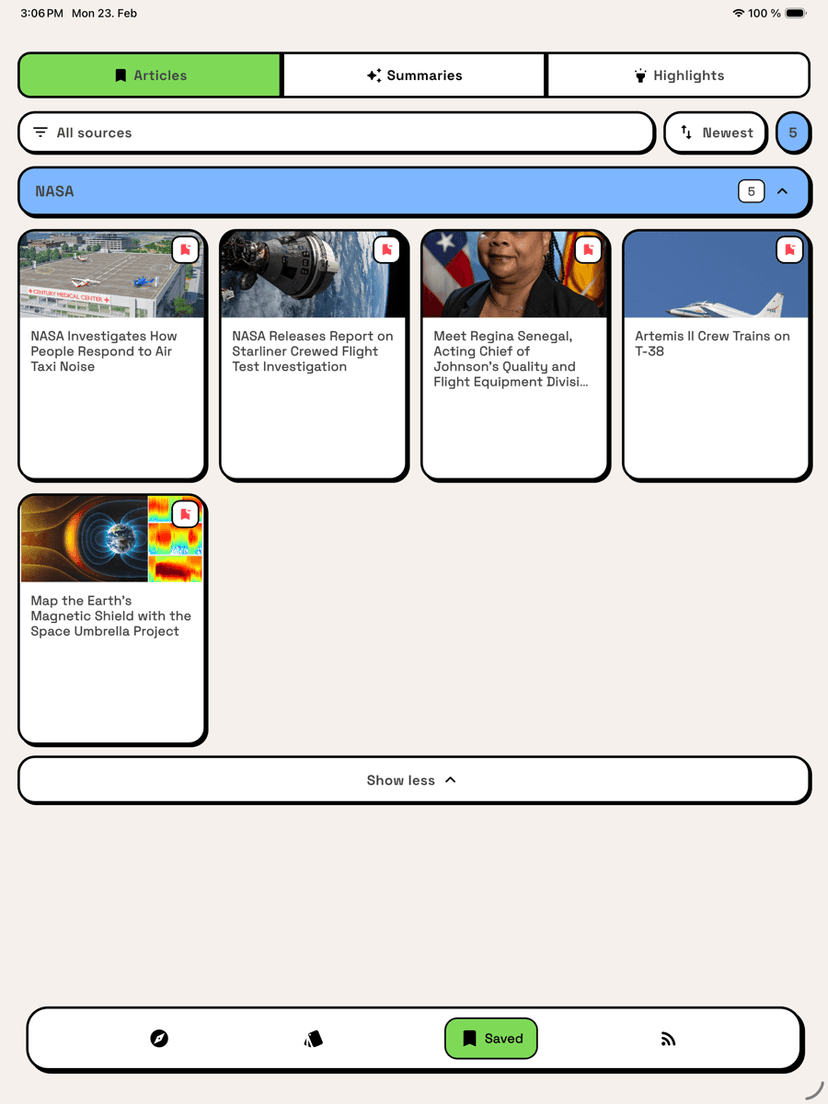
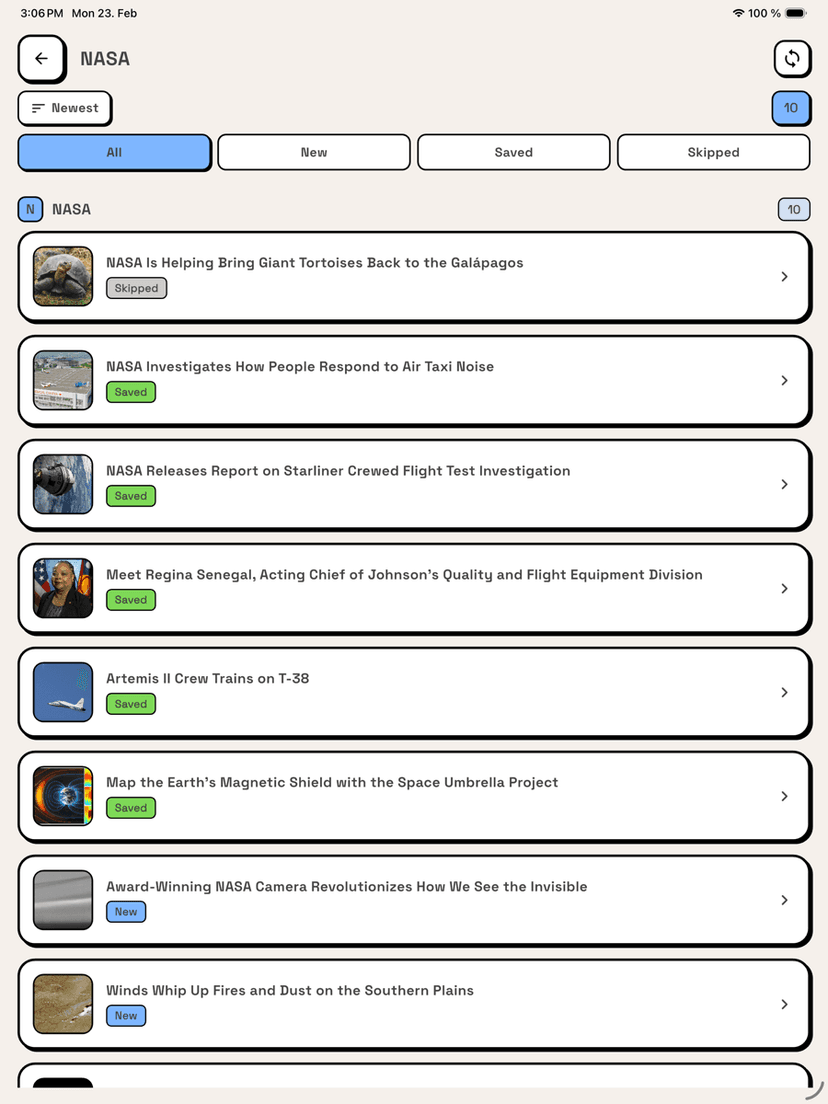
Available on the App Store and Google Play for tablets and iPads.
Simple pricing
Start free. Upgrade when you're ready.
Free
Pro
BestPrices shown are in EUR. Actual prices on iOS and Android may vary by region due to platform fees, local taxes (VAT), and currency conversion applied by Apple and Google.
Frequently asked questions
Everything you need to know about Nibbl.
What is Nibbl?
Nibbl is a newsletter and RSS reader app for iPhone, iPad, and Android. It turns your newsletters and RSS feeds into a beautiful swipe-based reading experience — swipe right to save an article, swipe left to skip. It also includes AI summaries, offline reading, and cloud sync.
What devices does Nibbl support?
Nibbl is available on iPhone, iPad, Android phones, and Android tablets. You can download it from the Apple App Store (iOS and iPadOS) and Google Play (Android). The interface is fully optimized for both phones and large tablet screens.
Is Nibbl free?
Yes. Nibbl Free includes 5 newsletter or RSS feeds, 5 AI summaries per month, plus save, highlight, cloud sync, and offline reading at no cost. Nibbl Pro unlocks unlimited feeds and unlimited AI summaries. A one-time Nibbl Pro Lifetime purchase is available for €34.99 (regional prices may vary).
How does the Nibbl Inbox work?
Every Nibbl user gets their own free @nibbll.app email address. Use it to subscribe to any newsletter, and new issues land directly in your Nibbl feed instead of cluttering your personal email inbox. You can read them as swipeable cards alongside your RSS feeds.
How do Nibbl's AI summaries work?
Nibbl uses Google Gemini to generate instant AI summaries of any article. Tap AI Summary while reading and Nibbl distills the key points into a short, bite-sized overview — useful for long newsletters and in-depth articles. You can also choose which language each summary is written in, so you can read a summary in your own language even when the article is in another.
What is the Today tab?
Today's Headlines gathers the biggest stories from across all your feeds into one daily view — top stories and the latest headlines in one place — so you can catch up on what matters most without swiping through every feed individually.
Can I add my own RSS feeds?
Yes. Nibbl supports any standard RSS or Atom feed. Paste a feed URL to add it, or head to Discover to search feeds, add curated starter packs in one tap, and get personalized recommendations across tech, business, science, AI, and more.
Can I import my feeds from another RSS reader?
Yes. Nibbl supports OPML import, so you can move your subscriptions over from any other RSS reader in one step. Choose your .opml file and Nibbl adds the feeds to your library automatically.
Can I adjust how articles look while reading?
Yes. Nibbl's reading settings let you make text larger or smaller, adjust line spacing (Compact, Normal, or Relaxed), and switch between three reader themes — Light, Sepia, and Dark — so you can read comfortably in any lighting.
What languages is Nibbl available in?
Nibbl is fully translated into 7 languages: English, French, German, Spanish, Italian, Japanese, and Portuguese. The app follows your device language and you can also switch languages from Settings.
Does Nibbl work offline and sync across devices?
Yes. Saved articles are available to read offline without an internet connection. Sign in with Google or Apple and your feeds, saves, and highlights sync automatically across all your devices.
How is Nibbl different from a normal email inbox or RSS reader?
Traditional readers show you a long, overwhelming list. Nibbl gives you a focused, one-at-a-time swipe flow so you decide quickly what to save and what to skip. Combined with a dedicated @nibbll.app inbox for newsletters and AI summaries for long reads, it keeps your reading separate from email and free of clutter.

Advertise or partner with Nibbl
Want to promote your product or newsletter, or place an ad in front of engaged, curious readers? Let's talk.
Get in touch
Questions, feedback, or advertising — send us a note and we'll get back to you.
Built by
Walid Islam
Berlin, Germany
Solo indie developer crafting thoughtfully designed apps for iPhone, iPad, and Android. Open to collaborations, partnerships, and new projects.